Updated 25 January 2026
How Does a QR Code Menu Work? A Simple Guide for Modern Businesses
Learn how a QR code menu works, from creating your online menu to sharing a unique QR code customers can scan instantly without downloading an app.
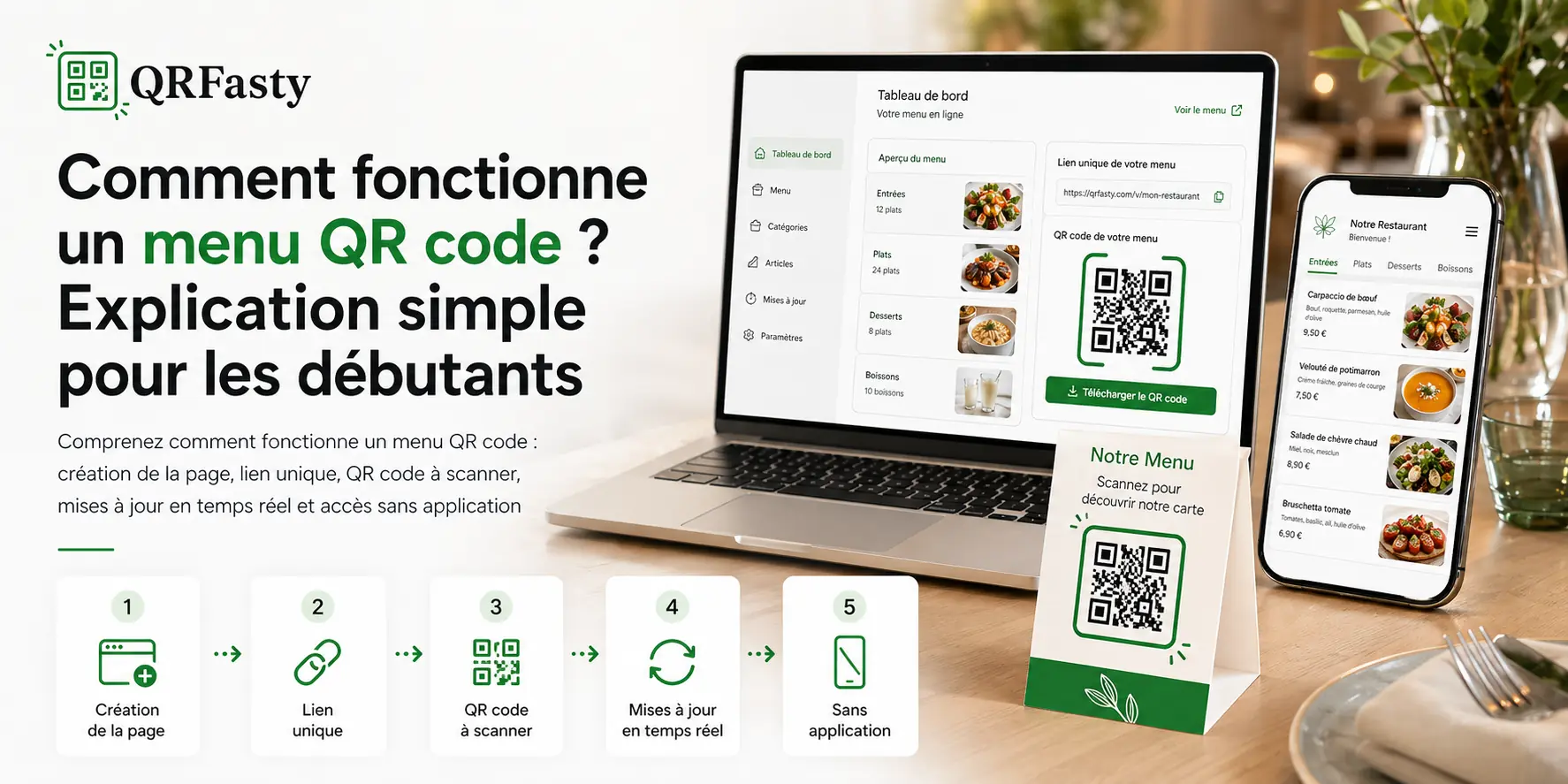
What is a QR code menu?
A QR code menu is a digital menu that customers can access with a simple scan. Instead of handing out a paper menu, you display a QR code on a table, counter, poster, window, or printed support.
The customer scans the code with a smartphone and opens your menu directly in the mobile browser. No app download is required.
With a solution like QRFasty, every business gets a dedicated online page, a unique link, and a QR code ready to share.
How does a QR code menu work?
The process is simple: your menu is published on a web page, and that page is connected to a QR code.
When a customer scans the code, they are redirected to your digital menu.
1. You create your professional space
The first step is to create an account on the platform. From your dashboard, you can add the essential details of your business:
- public name;
- short description;
- contact details;
- address;
- logo and cover image;
- useful links and social media profiles.
This creates a clear, professional, and easy-to-share public page for your business.
2. You set up your menu
Next, you add your categories and items. For example:
- starters;
- main dishes;
- desserts;
- drinks;
- meal deals;
- special offers.
Each item can include a name, price, description, and image if needed.
The goal is to make your menu easy to read without overwhelming the customer.
3. You get a unique link
Once your business page is configured, QRFasty generates a public page with a personalized address.
Example structure:
https://www.qrfasty.com/your-business-name
This link can be shared on social media, sent by message, or added to your business profile.
4. The QR code opens your menu
The QR code works as a visual shortcut to your menu page. Customers scan it and instantly access your digital menu.
You can print it on:
- tables;
- table tents;
- flyers;
- windows;
- counters;
- delivery materials.
The same QR code remains usable even if you update your prices, products, or business information.
Do you need to change the QR code after an update?
No. That is one of the main advantages of a well-designed QR code menu.
You can update your menu from your dashboard while keeping the same link. Since the QR code points to that link, it continues to work without needing to be reprinted.
A practical example
You change the price of a dish, add a new drink, or hide an unavailable item.
The customer scans the same QR code, but always sees the latest version of your menu.
This helps avoid mistakes, repeated printing, and outdated menus.
Does the customer need to install an app?
No. A modern QR code menu should open directly in the phone’s browser.
The customer simply uses the smartphone camera or a built-in QR scanner. After scanning, the menu opens like a standard web page.
It is faster, simpler, and more accessible for every type of customer.
Why is a QR code menu useful for a business?
A QR code menu simplifies daily management. It helps you save time, stay in control of your information, and improve the customer experience.
For your team
Your team can update content without changing website code or redesigning printed materials.
This is useful for:
- updating prices;
- removing unavailable items;
- adding a temporary offer;
- displaying opening hours;
- highlighting delivery or reservation options.
For your customers
Customers get quick access to a clean, readable, and up-to-date menu. They can browse categories, check prices, and find useful information without waiting for a physical menu.
This simple experience gives your business a more modern and professional image.
QR code menu and public page: what is the difference?
The QR code is only the access point. The real value is in the public page.
This page can display:
- your menu;
- your business presentation;
- your address;
- your opening hours;
- your phone number;
- your WhatsApp contact;
- your social media links;
- your delivery links;
- your reservation options.
With QRFasty, the QR code menu becomes more than a simple menu. It becomes a digital showcase available at any time.
Can a QR code menu support multiple languages?
Yes. An online menu can be organized in multiple languages depending on your customers’ needs.
This is especially useful for restaurants, cafés, hotels, riads, and businesses that welcome international customers.
A multilingual menu reduces confusion and makes the browsing experience easier.
How can you know if customers are viewing the menu?
A professional solution can also include statistics. This allows you to track visits, QR code scans, and the most viewed sections of your menu.
These insights can help you better understand customer behavior.
For example, if one category gets many views, you can highlight it more. If certain items receive little attention, you can improve their name, description, or image.
How to get started with QRFasty
To launch your QR code menu, you can create an account and set up your business step by step.
Start here: sign up for QRFasty
You can also visit the tutorial to understand the process before publishing your menu.
Conclusion
A QR code menu works through three simple elements: an online page, a unique link, and a scannable QR code.
For customers, access is instant. For businesses, menu management becomes more flexible, faster, and more professional.
With QRFasty, you can create your page, organize your menu, generate your QR code, and update your information from one dashboard.